
Instagram Downloader
Download Instagram videos, reels, photos and more — quickly and easily.
What is an Instagram video downloader?
Paste a public Instagram post or an active Story link to find its available video, photo or carousel files. Videos may also offer MP3 audio, and no Instagram sign-in is needed.
How to download Instagram videos online
- 01
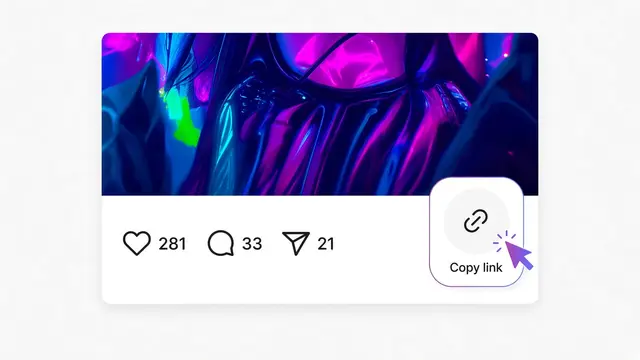
On Instagram, open the Reel, video, photo or carousel. Tap Share (or ⋯ on a Story), then Copy link.
- 02
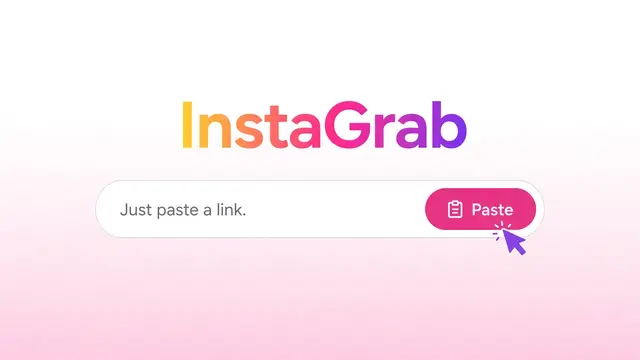
Paste the post link into InstaGrab and tap Download. Use the post link, not a profile link.
- 03InstaGrab result

 Instagram postDownload videoDownload MP3
Choose Download video, Download photo or Download MP3 on the result card. Carousel slides appear as separate cards.
InstaGrab.download features
Paste a public Instagram link. The link decides which of these files comes back.
MP3 downloader
Extract the audio from a public video or Reel and save it as an MP3 file in your browser.
Photo downloader
Save a public photo. One image comes back as one file.
Reels downloader
Download a public Reel from its link. You do not need to sign in.
Story downloader
Paste a public story link while it is still up. An expired story cannot be fetched.
Carousel downloader
Each slide is listed on its own, so you can save the photos or videos you want.
What InstaGrab offers
A free way to save a public Instagram post in your browser.
No account
You do not sign in to Instagram. Paste a public link.
Public posts only
Private accounts and private posts stay closed.
Nothing to install
It runs in the browser on a phone or a computer.
The file from that post
You get the file the public post provides. A size is shown only when that size comes back.
Free
There is nothing to buy and no account to create.
FAQ
Answers to common questions. If yours is not here, use the contact page. Contact us
Is InstaGrab free?
Yes. InstaGrab is free to use. You do not need to create an account.
Do I need an Instagram account?
No. You only need the link to a public post. InstaGrab does not ask you to sign in to Instagram.
Can I download a private post?
No. If the post is not public, InstaGrab cannot open it.
Can I download Instagram Reels?
Yes, when the Reel is public. Paste the link and save the file that comes back.
Can I download Instagram photos?
Yes. Paste the link to a public photo. A carousel lists each slide separately.
Where are downloaded files saved?
Your browser saves the file. On a computer it usually goes to your Downloads folder. On Android it usually goes to Downloads as well. On iPhone, Safari may open a share sheet so you can save the file to Files or your photo library.
Does it work on a phone?
Yes. Open InstaGrab in your browser, paste a public link, and download. The browser handles where the file is saved.